- Code files (
filename.java, filename.class, Example:InvertedIndex.java, InvertedIndex.class)- Should contain only new or modified java code (both *.java and compiled *.class files).
- Ideally, your solution should be contained within the classes you wrote and does not modify the IR package.
- The code should also be properly commented using Javadoc convention.
- Report PDF file (
report.pdf) - A short document (1-2 pages) clearly describing in well-written English prose, the approach taken to the assignment, the general algorithm employed, clear instructions on running the system, and insightful discussion of any experimental results obtained. - Input/Output trace text files (
trace/[TRACESUFFIX].txt, Example:trace/curlie.txt, NOTE: Each assignment may ask for different trace files so be careful to see the specific assignment instructions) - A detailed trace of your program running on any sample test problems. The traces can be generated using the Unix commandscript(call "man script" for documentation). To use script to collect traces, do the following:-
Run the script command on the command line:
$ script trace/curlie.txt - Run the program on different test cases, as you would have normally done.
- When you want to stop collecting traces, type "Control-D" at the command prompt.
-
The trace of your run is stored in the local file
trace/curlie.txt.
-
Run the script command on the command line:
- Usually, you will directly zip all the submission files, including codes, pdf and trace dir.
- NOTE: The zip file should NOT have an upper level directory. For example, the zip file
should NOT have extra folders like
jd1234_myproj0/InvertedIndex.javabut rather the files should simply be in the root folder directlyInvertedIndex.java,trace/curlie.txt, and so on.
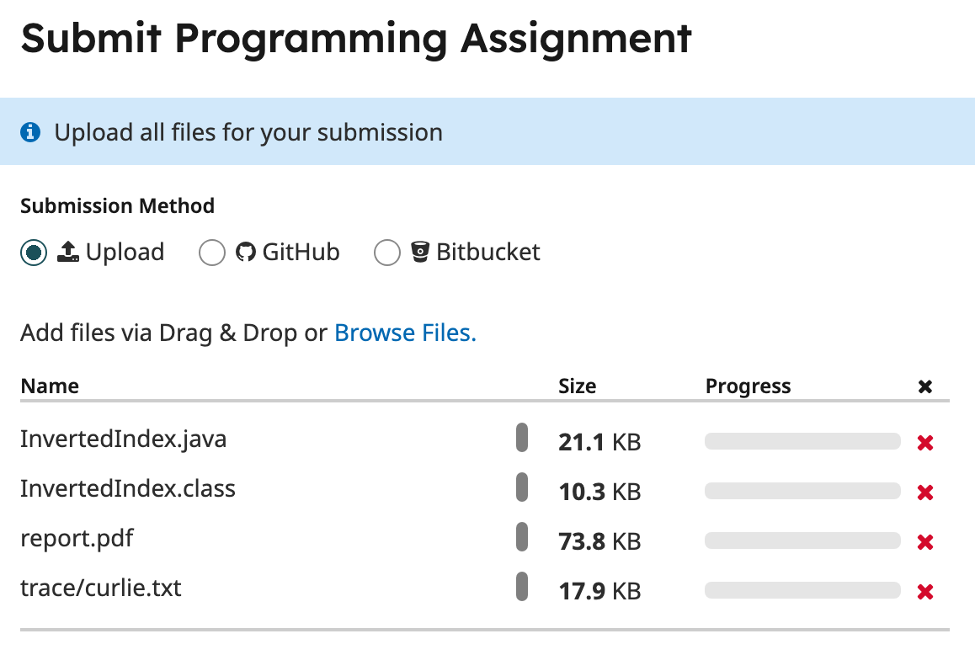
For example, if the assignment requires code, a report and 2 trace files, this is how Gradescope should look after submission:
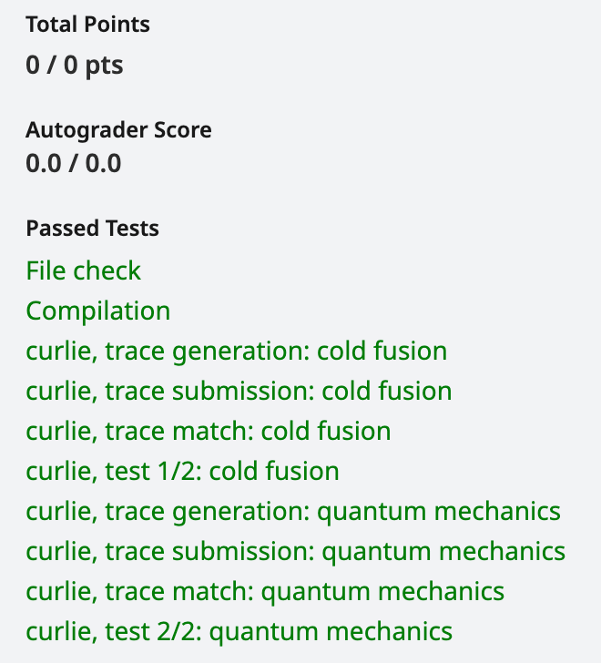
- After submitting the code on Gradescope, you will be able to run the autogrdaer on it and verify your submission.
You should immediately be able to see if your code compiled correctly and if certain basic checks such as trace generation
and output format are correct. You can also see the results of the autograder run on your code for sample test cases.
Note that many test cases will be hidden and you will receive the score only after grading. - Here is how the results after autograding might look like: